Build a GraphQL API with NestJS
GraphQL
GraphQL is a query language for APIs and a runtime for fulfilling those queries with your existing data. GraphQL gives clients the power to ask only what they need and nothing more. With GraphQL clients fetch only data that they need and no more
With a REST API, you would typically gather the data by accessing multiple endpoints using HTTP verbs, for GraphQL all the backend is accessible via a single endpoint.
To take a deep dive into the comparison between REST and GraphQL you can read this article write by hasura team hasura-graphql-vs-rest
NestJS
NestJS is a nodejs framework to build efficient server side app. Like angular for frontend development nest provide an out of the box application architecture wich allow developers to develop maintainable application.
A NestJS app is a set of modules for component organization. Each module encapsulating a closely set of capabilities.
What we gonna do is build a basic CRUD application for a users management system.
Covered features are :
- Create User
- Read a user
- Update a user
- Delete a user
- Retrieve list of users
1- Install nestjs cli and scaffold your app
Install nestjs cli and create app (yarn package manager)
$ npm i -g @nestjs/cli
$ nest new users-api
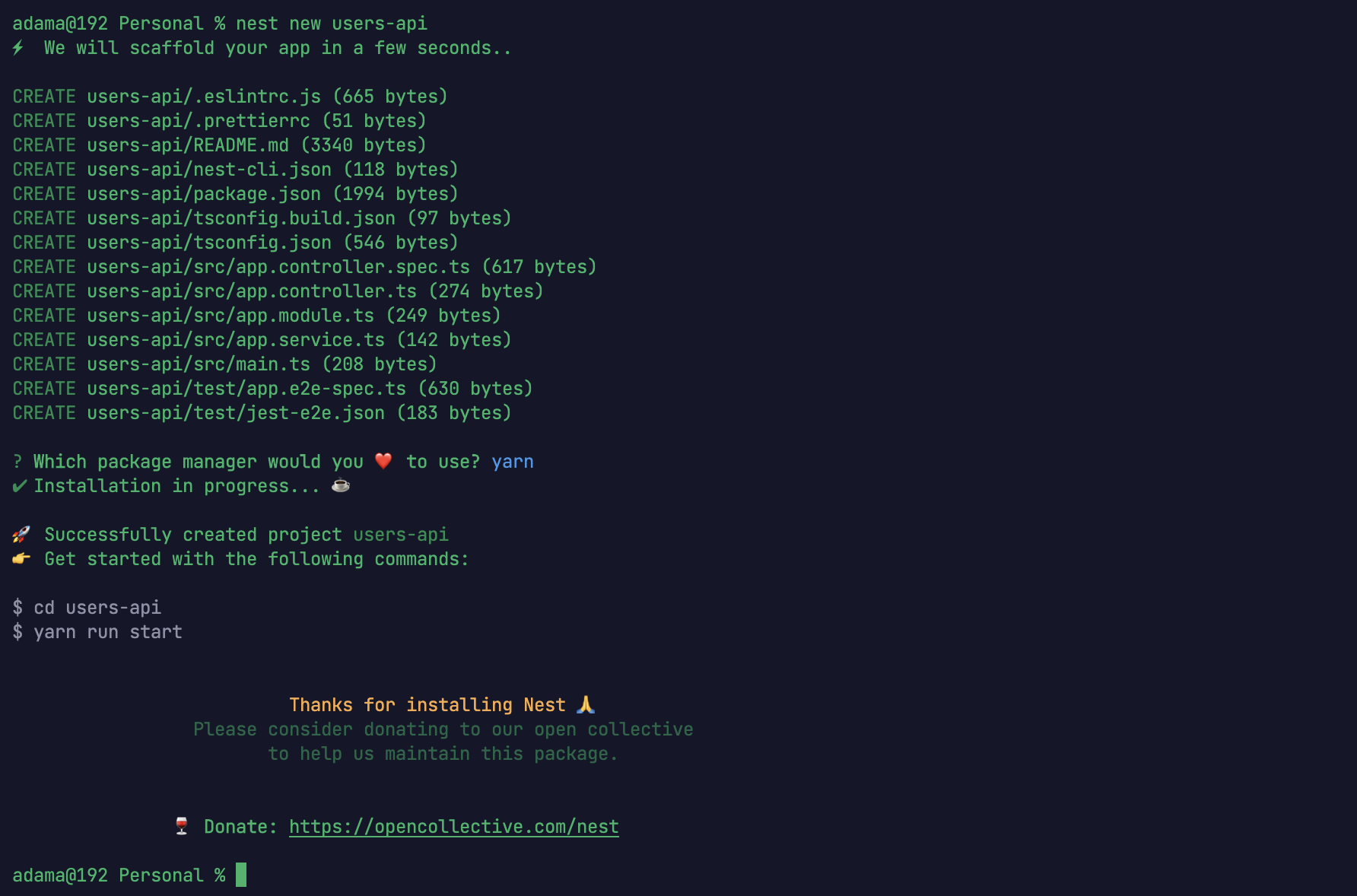
Our App Structure look something like this
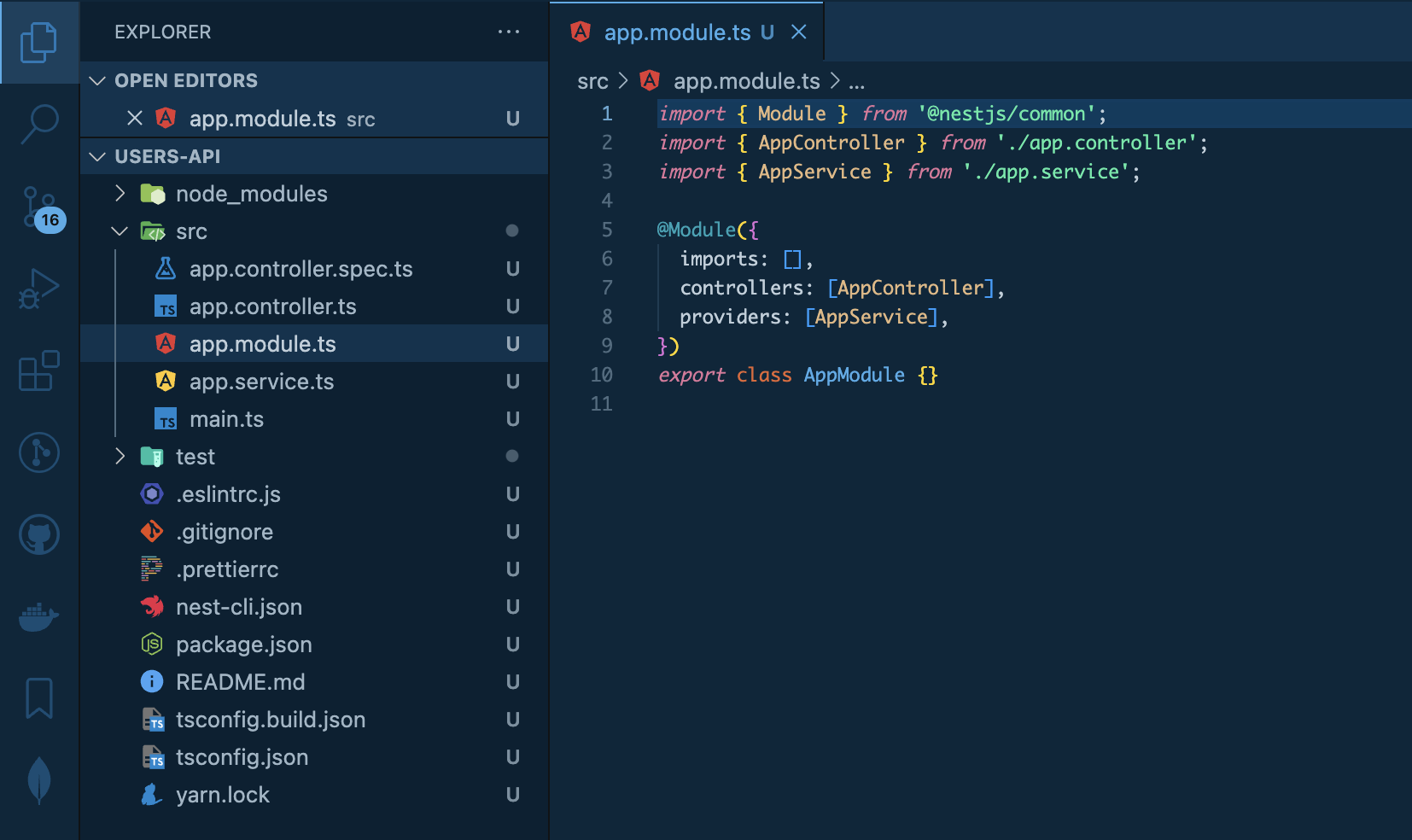
By default nest scaffold an express REST API.
To create a graphql API we must install some package and add some configuration into our project.
Once our app initialized we install graphql, nestjs/graphql, nestjs/apollo and apollo-server-express
$ cd users-api
$ yarn add @nestjs/graphql @nestjs/apollo graphql apollo-server-express
Here NestJS provide two approach for building graphql api
- Code first
In this case you dont create GraphQL schema by writing GraphQL SDL by hand. Instead, we use TypeScript decorators and NestJS will generate the SDL Schema
- Schema first
Manually define your schema in SDL and handle resolvers for them
In this tutorial we gonna use code first approch
2- Import and create our first resolver
Import and configure the GraphQLModule in the app module file
import { ApolloDriver, ApolloDriverConfig } from "@nestjs/apollo";
import { Module } from "@nestjs/common";
import { GraphQLModule } from "@nestjs/graphql";
import { AppController } from "./app.controller";
import { AppService } from "./app.service";

@Module({
  imports: [
    GraphQLModule.forRoot<ApolloDriverConfig>({
      driver: ApolloDriver,
      autoSchemaFile: "schema.gql",
      path: "/users-api/graphql",
      playground: true
    })
  ],
  controllers: [AppController],
  providers: [AppService]
})
export class AppModule {}
In the main.ts file add a statement to see the url of our api
import { NestFactory } from "@nestjs/core";
import { AppModule } from "./app.module";

async function bootstrap() {
  const app = await NestFactory.create(AppModule);
  await app.listen(3000);
  console.log("server started at http://localhost:3000/users-api/graphql"); /// <----
}
bootstrap();
With code first approach we use decorators to create our SDL schema
- @Resolver() mark a class as a Resolver
- @Query() graphql query type
- @Mutation() to add a graphql mutation
- @InputType() declare an input type
- @ObjectType() match a graphql type for returned value.
- @Field() field definition A field's GraphQL type can be either another object type or a scalar type like (ID, Int, String)
- @Args() argument of a resolver (query or mutation)
To create a GraphQL API we must have at least one query. we gonna create our first basic query getHello who return the hello word string!.
Let's create our first resolver file app.resolver.ts it's look something like this
import { Query, Resolver } from "@nestjs/graphql"; // import Resolver and Query from @nestjs/graphql package
import { AppService } from "./app.service";

@Resolver()
export class AppResolver {
  constructor(private readonly appService: AppService) {}

  @Query(() => String)
  getHello(): string {
    return this.appService.getHello();
  }
}
yarn dev
When we browse http://localhost:3000/users-api/graphql you gonna see your playground
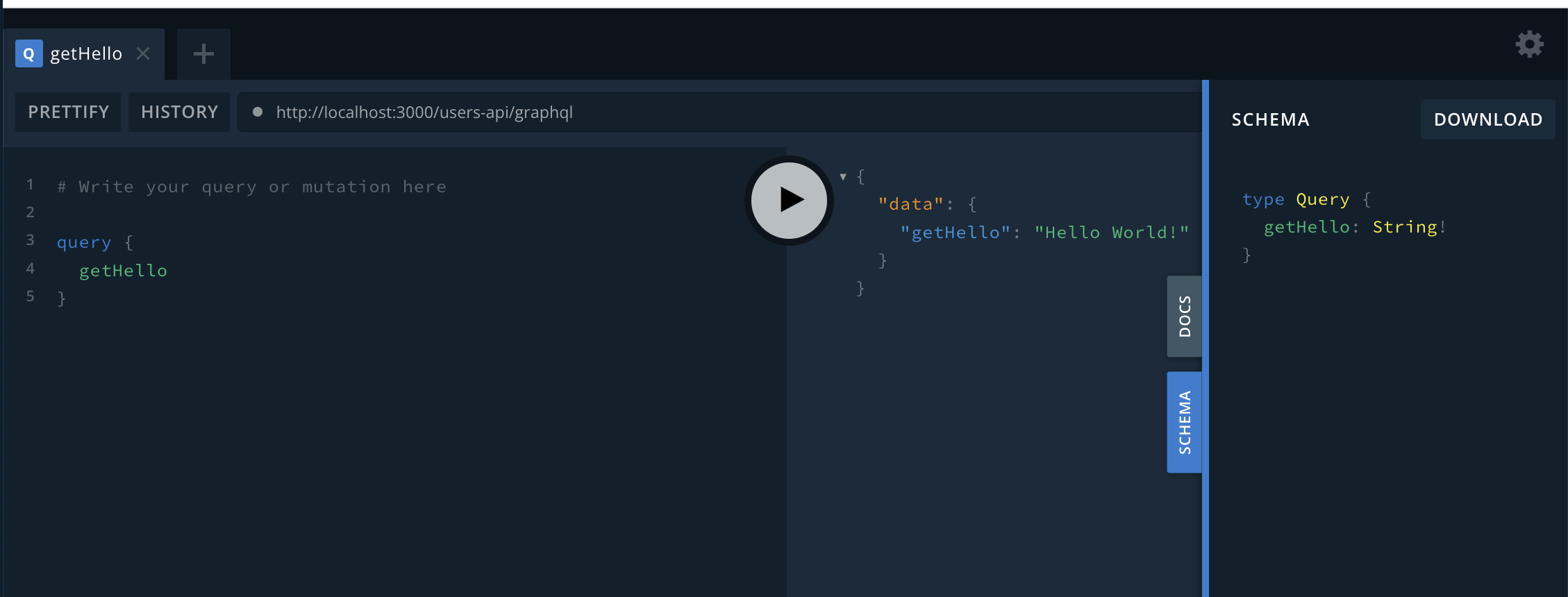
Congratulations 🎉 for building your first graphql resolver !!!